

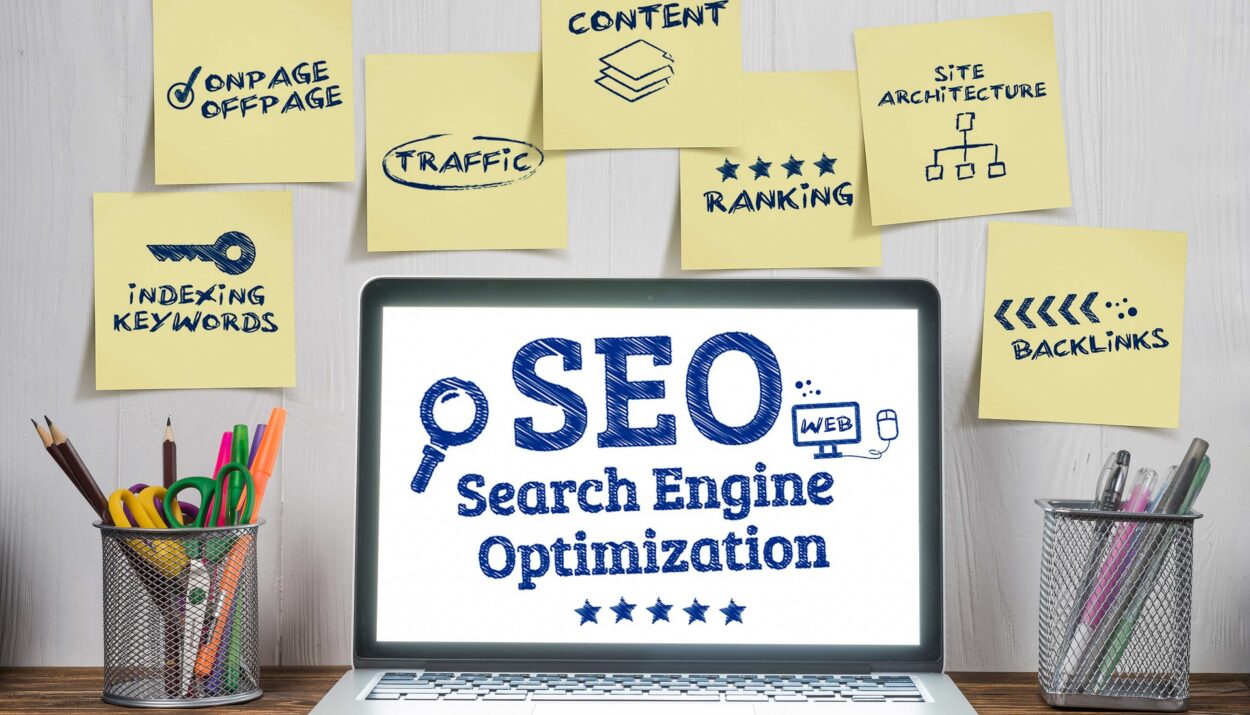

If you have a WordPress website, you’ve probably heard people talk about SEO many times. But for beginners, SEO can sound confusing or too technical.
The simple meaning of SEO (Search Engine Optimization) is helping your website appear higher on search engines like Google when people search for something related to your content.
For example, if you write a blog post about:
“Best Free AI Tools for Students”
good SEO can help your article appear when people search for that topic online.
And the higher your website ranks, the more visitors you can get for free without paying for ads.
The good news is this:
You do not need to be an SEO expert or learn coding before improving your website’s SEO.
That’s exactly why WordPress SEO plugins exist.
These plugins help you:
- optimize blog posts
- improve technical SEO
- create XML sitemaps
- add meta descriptions
- connect your site to search engines
- fix SEO mistakes
Most importantly, they make SEO much easier for beginners.
In this guide, we’ll look at the 5 best WordPress SEO plugins in 2026, including what they do, who they are best for, and how to choose the right one for your website.
Whether you run:
- a personal blog
- a business website
- an online store
- a news site
- or a portfolio website
there’s an SEO plugin that can help you grow faster.
Why SEO Plugins Matter More in 2026
Years ago, ranking on search engines was much easier.
Today, millions of new websites and blog posts are published every single day. Competition is now much higher than before.
Even if your content is good, your website may struggle to rank if your SEO is poor.
This is where SEO plugins become useful.
Instead of manually handling complicated SEO settings, the plugin helps automate many important tasks.
For example, SEO plugins can help you:
- create better page titles
- add keywords correctly
- generate sitemaps automatically
- fix broken SEO settings
- improve readability
- optimize images and metadata
Think of an SEO plugin as a personal assistant helping your website communicate better with search engines.
1. Rank Math
Best For: Beginners Who Want Powerful Features
Rank Math has become one of the most popular WordPress SEO plugins in recent years.
Many people like it because it offers advanced features while still being easy to use.
Even beginners can set it up without stress thanks to its simple setup wizard.
Features You’ll Get
- Multiple keyword optimization
- Built-in schema markup
- Google Search Console integration
- SEO analysis and suggestions
- Redirect manager
- WooCommerce SEO support
Why People Like Rank Math
One thing that makes Rank Math stand out is how clearly it explains SEO recommendations.
For example, after writing a blog post, Rank Math may suggest:
- adding your keyword to headings
- improving the title
- adding internal links
- shortening the URL
- improving readability
This makes it easier for beginners to understand what to improve.
Real-Life Example
Imagine you publish a blog post called:
“Best Budget Phones for Students”
Rank Math may tell you:
- your keyword is missing in the introduction
- your title is too long
- you need more internal links
These small improvements can help your article perform better on search engines.
Things to Keep in Mind
Rank Math includes many features, so the dashboard may feel a little crowded at first.
But once you get used to it, it becomes a very powerful tool.
2. Yoast SEO
Best For: Complete Beginners
Yoast SEO is one of the oldest and most trusted SEO plugins for WordPress.
A lot of beginner bloggers start with Yoast because it feels simple and beginner-friendly.
Main Features
- Keyword optimization
- Readability analysis
- XML sitemap generation
- Meta title and description editing
- Content analysis
- Internal linking suggestions
Why Beginners Love Yoast
Yoast explains things in very simple language.
As you write content, it gives live recommendations such as:
- “Add your keyword in the first paragraph”
- “Use shorter sentences”
- “Add more transition words”
This helps beginners improve content without needing advanced SEO knowledge.
Readability Feature
One of Yoast’s best features is readability analysis.
Many people focus only on keywords and forget that real humans also need to enjoy reading the article.
Yoast checks:
- sentence length
- paragraph size
- passive voice usage
- readability flow
This helps make your articles easier to read and more engaging.
Best For
Yoast works especially well for:
- bloggers
- small business websites
- beginners
- non-technical users
3. All in One SEO (AIOSEO)
Best For: Businesses and Online Stores
All in One SEO, also known as AIOSEO, is another popular WordPress SEO plugin.
It combines beginner-friendly tools with advanced business SEO features.
Main Features
- SEO audit checklist
- XML and video sitemaps
- Local SEO tools
- WooCommerce SEO
- Social media integration
- Schema markup support
Why Businesses Like It
AIOSEO is very useful for websites that want serious growth.
For example:
- eCommerce stores
- agency websites
- local businesses
- company websites
It includes many tools designed to improve visibility in search results.
Real-World Example
Suppose someone searches:
“Best restaurant near me”
AIOSEO’s local SEO tools can help local businesses appear more easily in search results.
This can bring real customers directly from Google searches.
Easy Setup
The setup wizard is beginner-friendly and guides users step by step.
This helps avoid common SEO mistakes during installation.
4. SEOPress
Best For: Fast and Lightweight Websites
SEOPress is popular among people who care about website speed and performance.
Some SEO plugins add many extra features that can slow down websites.
SEOPress focuses on keeping things lighter and cleaner.
Main Features
- Meta title optimization
- XML and HTML sitemaps
- Redirect management
- Google Analytics integration
- Breadcrumb support
- Schema markup
Why People Choose SEOPress
SEOPress gives users many advanced SEO features without making the dashboard feel overloaded.
This makes it a good option for people who prefer:
- cleaner interfaces
- faster websites
- simpler dashboards
Great for Performance
Website speed matters more than ever in 2026.
A slow website can:
- hurt rankings
- increase bounce rates
- frustrate visitors
SEOPress is designed with performance in mind.
5. The SEO Framework
Best For: Automatic SEO Management
The SEO Framework is built for people who want SEO to work mostly in the background.
It focuses heavily on automation and simplicity.
Main Features
- Automated SEO settings
- Schema markup generator
- Redirect manager
- Lightweight dashboard
- Local SEO support
Why Some Users Prefer It
Unlike some plugins that constantly show warnings and notifications, The SEO Framework stays cleaner and quieter.
Many users describe it as:
“install it and let it work.”
This makes it great for:
- developers
- minimalists
- users who dislike complicated dashboards
Which SEO Plugin Should You Choose?
Choosing the right plugin depends on your website goals.
Here’s a simple breakdown.
Choose Rank Math if:
- you want many features
- you like advanced SEO tools
- you want detailed SEO suggestions
Choose Yoast SEO if:
- you are completely new to SEO
- you want simple guidance
- you care about readability
Choose AIOSEO if:
- you run a business website
- you own an online store
- local SEO matters to you
Choose SEOPress if:
- website speed is important
- you prefer cleaner dashboards
- you want lightweight performance
Choose The SEO Framework if:
- you want mostly automatic SEO
- you dislike complicated settings
- you prefer a simpler experience
Important SEO Tips for Beginners
Even the best SEO plugin cannot rank poor content automatically.
Here are some practical tips that matter just as much as the plugin itself.
Focus on Helpful Content
Search engines care more about useful content than keyword stuffing.
Write articles that genuinely help readers solve problems.
Use Only One SEO Plugin
Installing multiple major SEO plugins together can cause:
- plugin conflicts
- duplicate metadata
- SEO errors
Choose one main SEO plugin and stick with it.
Improve Website Speed
A fast website improves:
- rankings
- user experience
- visitor retention
Use:
- good hosting
- image optimization
- caching plugins
alongside your SEO plugin.
Use Google Search Console
Connect your site to Google Search Console.
It helps you:
- track rankings
- monitor traffic
- detect indexing problems
- see which keywords bring visitors
And it’s completely free.
Be Patient With SEO
One of the biggest beginner mistakes is expecting instant results.
SEO usually takes time.
Sometimes it may take:
- weeks
- months
- consistent publishing
before you start seeing major traffic growth.
Consistency matters a lot.
Final Thoughts
SEO plugins make WordPress optimization much easier in 2026, especially for beginners.
Instead of dealing with complicated technical settings manually, these plugins guide you step by step and help improve your website’s visibility on search engines.
Each plugin has its strengths:
- Rank Math offers powerful features
- Yoast SEO keeps things beginner-friendly
- AIOSEO works well for businesses
- SEOPress focuses on speed
- The SEO Framework keeps things simple and automatic
The most important thing to remember is this:
Installing an SEO plugin alone will not magically grow your traffic overnight.
Real SEO success comes from:
- creating helpful content
- improving user experience
- publishing consistently
- learning gradually over time
Choose the plugin that fits your website best, learn the basics slowly, and continue improving your content regularly.





4 Comments
Chas
8 months agoVery soon this web page will be famous among all blogging users, due to it’s fastidious articles
Shawn
7 months agoPretty section of content. I judt stumbled upon your blog and in accession capital to assert that I acquire in fact enjoyed account your blog posts.
Any way I will be subscribing to your feeds and even I achievemenbt
you access consistently rapidly.
Meredith
4 months agoalways i used to read smaller articles that also clear their
motive, and that is also happening with this paragraph which I am reading at this time.
Jerrold
4 months agoMagnificent goods from you, man. I’ve understand your stuff previous to and
you are just extremely excellent. I actually like what you’ve acquired here, certainly like what you’re stating and the
way in which you say it. You make it entertaining and you still take care of to keep it sensible.
I can’t wait to read far more from you. This is actually a great web site.